Conversion-Focused Web Design: How to Build a Website That Turns Visitors Into Clients
Introduction
Most websites are built to look good. The business owner approves the design because it looks professional. The developer builds what was approved. The site launches. Traffic starts coming.
And then nothing happens.
No enquiries. No form submissions. No sales. The business has a beautiful digital brochure that costs them money every month in hosting and maintenance and does nothing for their revenue.
This is not a traffic problem. It is a conversion problem.
Conversion-focused design means building a website where every element exists to move the right visitor toward one specific action. Not ten actions. Not a general sense of exploring. One action per page, pursued through every design and copy decision on that page.
This guide covers the full methodology: understanding conversion goals, above-the-fold design, CTA strategy, trust signals, landing page structure, form optimisation, and measuring what works. If you are building a new site or auditing an existing one, this is the framework that connects design decisions to business results.
What Conversion-Focused Design Is Not
Before going deep on what it is, it is worth addressing what it is not.
It is not about being manipulative. Dark patterns, fake urgency, hidden fees, misleading claims. These are conversion tactics. They are not conversion design. They produce short-term numbers and long-term damage to brand trust.
It is not about removing everything aesthetic. Some designers equate conversion focus with sparse, ugly pages. The most converting pages are often visually refined. Clarity and beauty are not opposites.
It is not a once-and-done activity. Conversion design is a continuous process of measuring, learning, and improving. The first version of your site is a hypothesis. The data from real users tells you where the hypothesis was right and where it needs revision.
Starting With One Goal Per Page
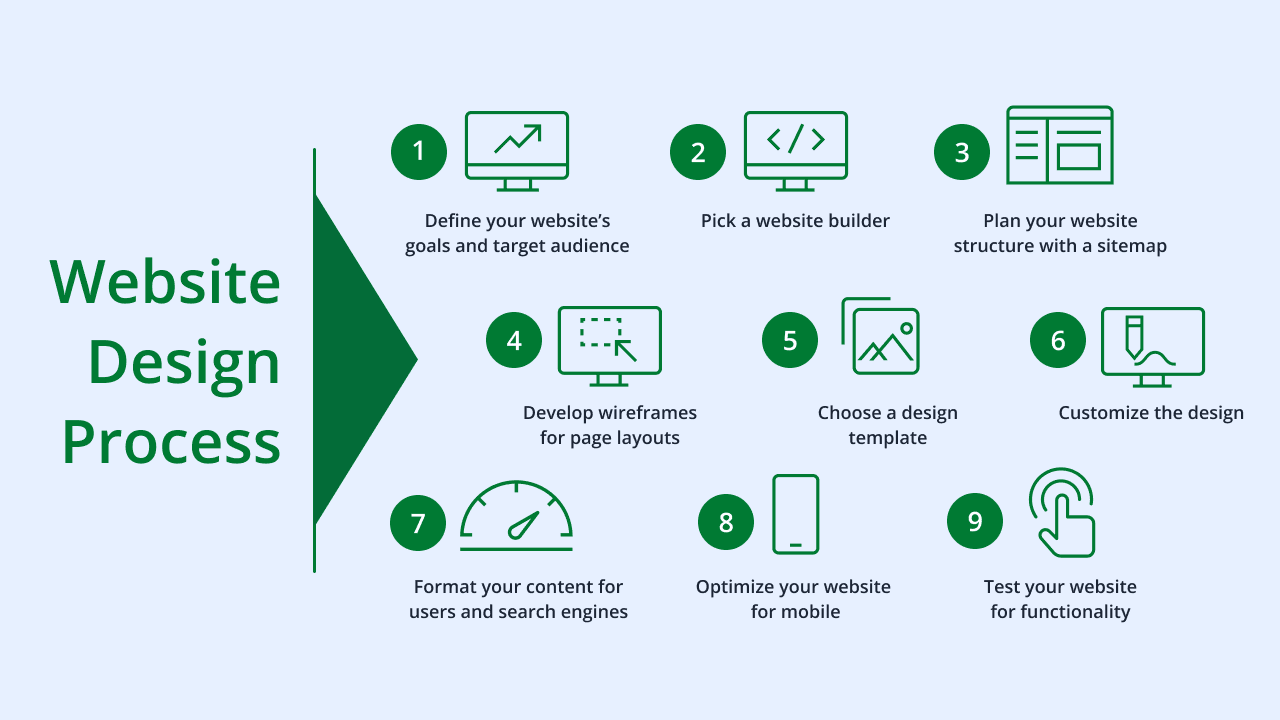
The most fundamental principle of conversion design is that every page has one primary goal.
Not two. Not a primary and two secondaries. One.
When a page has multiple competing goals, the user's attention is divided. They do not know what to do, so they do nothing. Or they take the lower-priority action because it is easier, completing it without taking the main action you wanted.
Define the goal for each page before designing it.
Homepage goal: Generate qualified leads or direct visitors to the most relevant next page. Service page goal: Persuade the visitor that this service is right for them and prompt them to request it. Pricing page goal: Remove objections and prompt the visitor to choose a plan or contact sales. Blog post goal: Provide enough value to establish authority and capture the visitor's email or lead them to a relevant service page. Landing page goal: Convert traffic from a specific campaign into a specific lead or sale.
With the goal defined, every design decision becomes a question: does this element help the visitor toward the goal, or does it distract from it?
Above the Fold: The Five-Second Test
The most valuable real estate on any page is the section visible without scrolling, called above the fold. Every visitor sees it. Not every visitor scrolls.
A user who does not find what they are looking for above the fold may scroll. They will more likely leave.
The above-the-fold section must answer four questions within five seconds:
Who are you? The logo and a clear name or descriptor answer this. What do you do? The headline or supporting text answers this. Who is it for? The most effective headlines speak directly to the specific person the business serves. What should I do next? A visible, clear primary CTA answers this.
If a visitor has to read three paragraphs to understand what you do, the above-the-fold section is failing. The goal is immediate clarity.
Testing the above-the-fold section: screenshot the hero section and show it to someone who has no knowledge of your business. Give them five seconds. Then ask: what does this company do? Who do they serve? What would you do next? If they cannot answer all three, the section needs work.
Hero Headline Structure
The highest-converting homepage headlines typically follow one of these structures:
Outcome-led: "Rank Higher, Get More Clients" (what the visitor will gain) Problem-led: "Your Website Is Losing You Leads. We Fix That." (identifies the pain) Specific audience: "Web Design for Nigerian Service Businesses That Need More Clients" (names the person) Social proof headline: "The Agency Trusted By 80+ Businesses in the UK and Nigeria" (uses proof as the hook)
Generic headlines like "Welcome to [Company Name]" or "Your Success Is Our Mission" communicate nothing. They could belong to any company in any industry. The user sees them and learns nothing.
CTA Design: Where Most Websites Fail
The call to action is the most critical single element on any page. It is the bridge between reading and acting. And it is where most websites fail completely.
CTA Copy
"Submit" is not a call to action. Neither is "Click Here." Neither is "Learn More" used on every button on the page.
A converting CTA tells the user what they get when they click, not just what they do. The difference:
"Submit" versus "Get My Free Audit" "Contact Us" versus "Start My Project" "Learn More" versus "See How It Works" "Register" versus "Claim My Spot"
The language of the CTA should match the stage of the funnel the user is at. A visitor reading a blog post for the first time is not ready to "Buy Now." They might click "Get the Free Guide." A visitor on a pricing page who has already researched the service is ready for "Start Today" or "Get a Quote."
First-person phrasing in CTAs outperforms second-person in most testing. "Start My Free Trial" versus "Start Your Free Trial." The shift is subtle. The effect is consistent.
CTA Visual Design
A CTA button must look like a button. It must be visually distinct from every other element on the page. It should not blend into the background. It should not look like body text.
Effective CTA visual design:
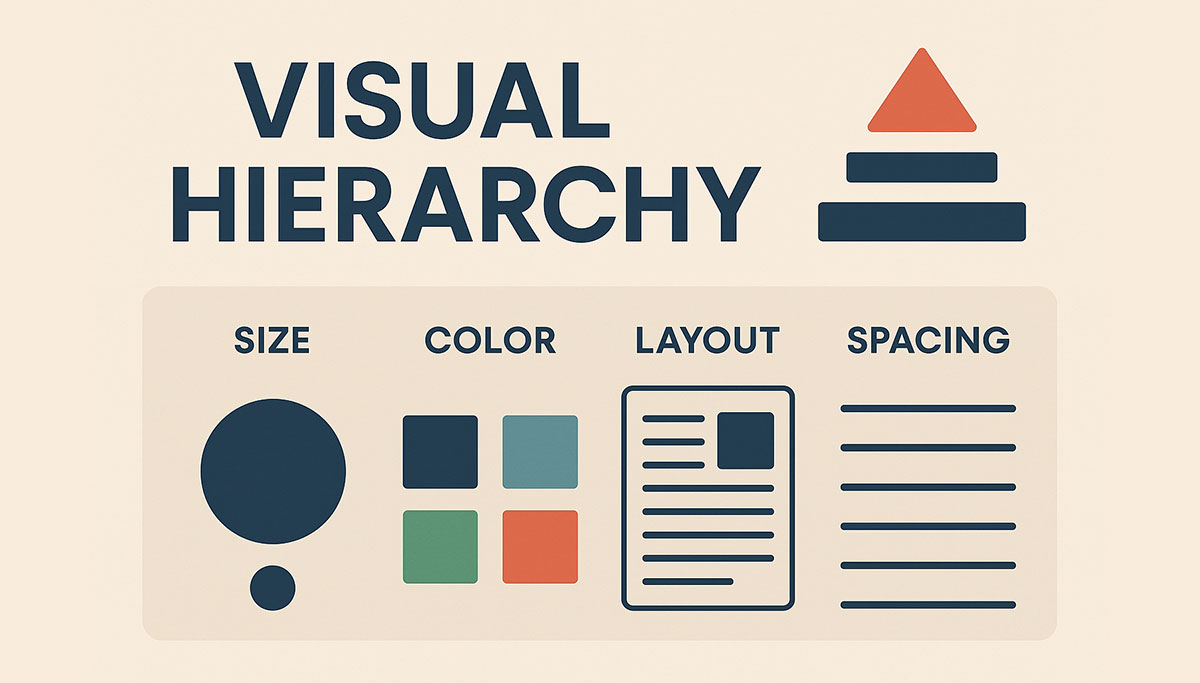
Color: The CTA should use a color that appears nowhere else on the page, or appears very rarely. If your accent color is used only for CTAs, every CTA immediately attracts the eye. If the accent color is used on twenty elements across the page, the CTA does not stand out.
Size: Large enough to be tapped comfortably on a phone (minimum 44px height) and visually prominent on desktop. Not so large it overwhelms the surrounding content, but large enough to read and tap without effort.
Whitespace around it: A CTA surrounded by cluttered content disappears. Give it room. Whitespace around a button communicates its importance.
Placement: The primary CTA should appear above the fold. It should also appear at natural decision points throughout the page: after a section that presents a compelling point, at the bottom of a long section, at the page footer.
Multiple CTAs on One Page
A long service page might have three or four CTA placements. This is appropriate. The primary CTA appearing multiple times is not confusion. It is accessibility. Different users reach their decision point at different stages of reading.
What to avoid: multiple different CTAs competing at the same position. A primary CTA button and a secondary text link at the same level in the hierarchy is fine. Two equally styled CTA buttons side by side is confusing. The user does not know which to prioritise.
If you have a secondary action, a lower-commitment option for users not ready for the primary, make it visually subordinate. A text link or a ghost button beside a solid primary button communicates the hierarchy clearly.
Trust Signals: The Evidence Visitors Need
Conversion happens when trust is sufficient. Trust is built through evidence.
On most websites, the business claims expertise and quality without providing evidence. "We are the best." "We provide premium service." "We are trusted by businesses across Nigeria." These are assertions. Visitors do not convert on assertions.
Visitors convert on evidence.
Social Proof
Testimonials are the highest-impact trust signal on most websites. A real quote from a real client with their name, company, and role, accompanying a photo where available, converts significantly better than anonymous quotes or no testimonials at all.
The testimonial should be specific. Not "Great service, highly recommend." Instead: "JetherVerse redesigned our website and our enquiry rate from organic traffic doubled in three months. Jether was responsive throughout the process and the site launched on schedule."
The specific result, the time frame, the attribute praised, these make the testimonial credible and useful to prospective clients evaluating whether your service is right for them.
Case studies go further. A case study presents the client, the problem, the approach, and the measurable outcome. For service businesses, case studies are the most effective content for converting high-value clients. A client spending significant budget on a web design project wants to see proof that the investment delivers results, not just that previous clients were satisfied.
Client logos communicate social proof through association. If you work with recognisable companies, displaying their logos signals that established businesses trust you. Even if the logos are unfamiliar to the visitor, a page with ten client logos communicates that the business has a real client base.
Review counts and ratings from third-party platforms (Google, Trustpilot, Clutch) carry more weight than testimonials you have written yourself, because the third party verifies them.
Authority Signals
Awards, certifications, and press mentions. Not fabricated or purchased signals. Real ones.
A Google Partner badge for a digital marketing agency. An industry association membership. A press mention from a credible outlet. An award from a relevant industry organisation.
These signals answer a question the visitor is asking: is this business legitimate and qualified? Authority signals say yes before the visitor has to ask.
For Nigerian businesses targeting international clients, association with internationally recognised platforms and certifications is particularly valuable. It addresses an implicit concern about quality standards.
Transparency Signals
Pricing transparency, process transparency, team transparency. These convert because they reduce the uncertainty that stops people from taking action.
Showing your team, with real names and real photos, communicates that real people are behind the business. This matters more for service businesses than product businesses.
Showing your process, even briefly, tells the visitor what happens after they enquire. Uncertainty about what follows a contact form submission is a significant friction point. Removing it improves conversion.
Clear pricing, or at minimum clear pricing ranges, reduces the back-and-forth of early sales conversations and filters prospects so that enquiries come from people who have already qualified themselves by reviewing the pricing.
Landing Page Design: One Goal, One Path
A landing page is a page designed for one specific campaign goal with no competing navigation paths.
The defining characteristic of a landing page is the absence of the main site navigation. When a visitor arrives from a paid ad, an email campaign, or a specific offer, removing the navigation keeps their attention on the single goal of the page.
Visitors who have navigational options use them. A visitor who arrives from an ad about your web design service and sees a navigation menu with links to SEO, social media, branding, and five other services will explore. They will leave the conversion path. They will either not convert or convert later through a different path that your analytics cannot attribute to the original campaign.
Landing pages remove this option. There is one page. One offer. One action.
Landing Page Structure
Every high-converting landing page follows a variation of this structure:
Hero section: Headline that matches the message of the ad or email that brought the visitor. The message match between the ad and the landing page is critical. If the ad said "Free SEO Audit for Nigerian Businesses" and the landing page headline says "Digital Marketing Services," there is a disconnect that destroys conversion.
Problem statement: Two to three sentences that confirm you understand the visitor's problem. This builds the sense that you know their situation.
Solution overview: What you offer and what it does. Not features. Outcomes.
Social proof: One or two brief testimonials or trust signals.
Primary CTA: Clear, benefit-driven, visually prominent.
More detail: For visitors who need more information before acting. More detailed explanation of the offer, what the process looks like, what is included.
Secondary social proof: Additional testimonials, case study results, logos.
Final CTA: Repeat the primary CTA at the bottom of the page.
FAQ section (optional): Address the three to five objections most visitors have. Converting objections on the page means they do not block conversion.
Above-the-Fold Completeness
The best landing pages work above the fold alone. A visitor who sees the above-the-fold section should have everything they need to convert: the offer, the benefit, the proof, and the action.
The content below the fold serves visitors who need more convincing. These visitors exist and the content should serve them. But the page should not require scrolling to understand the offer or take the action.
Form Design: The Last Barrier to Conversion
A visitor who reaches your form has already decided to take action. Form design determines whether they complete that action or abandon it.
Field Count
Every field is friction. Every additional field reduces completion rates.
The question to ask for each field: is this information essential to start the relationship, or is it something we can gather later?
Name and email is enough to begin most service business relationships. Adding phone number, company name, budget, timeline, and service type might seem logical. Each additional field will reduce form completions.
If you need qualifying information to route enquiries appropriately, consider a multi-step form. The first step asks for name and email only. The second step, shown after the user has committed with step one, asks for qualifying details. Completion rates for multi-step forms are often higher than single-step forms with the same total number of fields, because the first step has very low friction.
Field Labels and Placeholder Text
Labels should be visible above or beside the field, not as placeholder text inside the field.
Placeholder text as a label disappears when the user starts typing. At any point during completion, the user cannot check what information belongs in a field they have already begun filling in. This causes errors and frustration.
Labels above fields are always visible. They do not disappear. They do not need to be small enough to fit inside the input.
Validation and Error States
Inline validation, showing whether a field is correctly completed as the user fills it in rather than after submission, reduces form abandonment.
An email field that shows a green checkmark when a valid email format is entered tells the user immediately that they have completed the field correctly. An email field that only shows an error after the user clicks Submit, sending them back to look for what went wrong, creates frustration.
Error messages must be specific. "Please enter a valid email address" tells the user what is wrong and what to do. "An error occurred" tells them nothing.
Error indicators should be visual as well as text-based. A red border on the field with an error, combined with a text message, serves users across different accessibility needs.
The Submit Button
The submit button is a CTA. Apply all CTA principles to it.
Not "Submit." Instead: "Send My Enquiry," "Get My Free Audit," "Start My Project." The label should describe what happens when the user clicks, not just the action of clicking.
After submission, show an immediate confirmation. "Thanks, we have received your message and will reply within one business day." Without this confirmation, users do not know whether the form worked. Some will submit multiple times. Others will leave unsure whether to wait for a reply or try another channel.
Measuring Conversion Performance
Conversion-focused design is hypothesis-driven. The design is a hypothesis about what will work. Data from real users tells you whether the hypothesis was correct.
What to Track
Conversion rate by page: The percentage of visitors who complete the goal action. Track this per page, not just site-wide.
Scroll depth: What percentage of visitors reach key sections. If 80% of visitors never reach your testimonials section, those testimonials are not contributing to conversion. Either the page is failing to hold attention before that point, or the section needs to move higher.
CTA click rate: What percentage of visitors click the primary CTA. Low CTA click rate on a page with strong traffic suggests the CTA copy, color, or placement is failing.
Form abandonment: What percentage of users start the form but do not complete it. High abandonment on a specific field identifies a friction point.
Traffic source conversion rate: Different traffic sources convert at different rates. Paid traffic, organic traffic, social traffic, referral traffic each behave differently. Understanding conversion by source tells you which acquisition channels to prioritise.
A/B Testing
A/B testing, also called split testing, shows different versions of a page to different groups of visitors and measures which version converts better.
Test one element at a time. If you change the headline, the CTA, and the hero image simultaneously, you cannot know which change drove any improvement.
The most impactful elements to test: headline copy, CTA button copy, CTA button color, hero image, form field count, page length, social proof placement.
Testing requires sufficient traffic to produce statistically significant results. On a page receiving fewer than 1000 visitors per month, most A/B tests will not produce reliable results in a reasonable time frame.
Common Conversion Design Mistakes
Too many CTAs competing with each other. Five different buttons on a page with five different actions. The visitor does not know what is most important.
Generic copy that could describe any business. No specific claim. No specific audience. No specific outcome.
No trust signals. The page makes claims without any evidence. Testimonials, logos, case studies, certifications are absent.
Form friction. More fields than necessary. Placeholder text as labels. No inline validation. No clear confirmation on submission.
No mobile conversion path. The page converts on desktop but the form fields are too small to tap, the CTA disappears below the fold, or the layout breaks in a way that makes the primary action invisible.
Popup over the entire above-the-fold section on mobile. An email capture popup that covers the entire screen immediately on mobile means the first thing the visitor sees is not your offer, it is a demand for their email before they have seen any reason to give it.
No continuous testing. The site launches, performs at a certain conversion rate, and nobody measures whether it could do better. Conversion is not a launch goal. It is an ongoing practice.
Conclusion
Conversion-focused design is not a trick or a technique applied after a site is built. It is a design philosophy applied from the first decision.
Every element either helps the visitor move toward the goal or creates friction. The goal is clarity, not cleverness. Evidence, not assertion. One path, not many.
When design and copy work together toward a single, clear goal, supported by evidence that builds trust, and with a form or CTA that removes every unnecessary barrier, conversion is the natural outcome.
That is the website your business needs.
Ready to Build a Website That Earns?
JetherVerse builds conversion-focused websites for businesses in Nigeria, the UK, and across Africa. We design with the goal of driving real business results, not just delivering something that looks good.
- Email: info@jetherverse.net.ng
- Phone: +234 915 983 1034
- Website: www.jetherverse.net.ng